Troubleshooting
Vape Not Charging? Cable, Port, and Battery Checks That Actually Help
A device that will not charge is frustrating, but the cause is often outside the device itself: a worn cable, a weak charger, or a dirty charging port. The direct answer is to test the cable first, then the charger, then the port, then the battery, in that order, because each step rules out the cheapest fix before you consider replacing anything. If the battery or device is swollen, cracked, very hot, or damaged, stop using it and do not try to charge it.
This guide covers safe checks only. It does not ask you to open a device, remove a sealed battery, or repair internal parts, and you should not attempt those things. Sealed vape batteries are not user-serviceable, and forcing them open risks injury and will void any support from the seller. The checks below are the ones a careful owner can do without tools.
Start with the cable, not the device
Cables fail far more often than devices do. A cable that works for a phone may still fail on a vape if its connector is slightly worn, and a cable that has been bent sharply near the plug often breaks internally while looking fine outside. Swap in a different cable that you know works with another device, and give the new cable a full test rather than a ten-second glance. Some devices take a moment to show a charging light, so wait at least a minute before judging.
Check both ends of the cable for damage, fraying, or bent pins, and try the cable in both orientations if it is reversible. If the device charges with the second cable, you have your answer, and the fix costs the price of a cable. Keep the faulty cable out of your drawer so it does not get used again by mistake. For JUUL owners, the dedicated accessory matters here: the JUUL 1 Device Kit uses its own magnetic dock, so a generic cable will not substitute, and the dock itself is worth testing as a separate part.
Then test the charger and power source
Not all USB ports deliver the same power. A laptop port, a car port, or an old phone charger may deliver too little current for a device to register charging, or may charge it very slowly. Try a standard wall charger that you trust, plugged directly into a wall socket, and avoid multi-port hubs and long extension cables for this test. If the device charges from the wall but not from the laptop, the power source was the problem, not the device.
Do not use a high-power fast charger that the device was not supplied with if you are unsure, and do not leave a charging device unattended for long periods. A normal charge should show a light or screen indicator within a minute or two and should complete in the time the product page suggests. If the device gets unusually hot while charging, unplug it, let it cool, and do not charge it again until you have had advice from the seller.
Check the charging port gently
Pocket lint, dust, and dried liquid are common port blockers, especially for devices carried loose in a pocket or bag. Look into the port in good light before touching it. If you can see lint sitting at the entrance, remove it very gently with a dry wooden toothpick or a soft brush, without pushing anything deep into the port and without using metal tools. Do not use water, cleaning sprays, or compressed air at close range, and do not scrape the contacts.
After cleaning, reseat the cable fully and check whether the charging light appears. A cable that only works when held at an angle is a warning sign: either the cable plug or the device port is worn, and continued use in that position can make the wear worse. If the port feels loose or the plug wobbles freely, treat that as a device issue rather than a cable issue, and ask the seller about replacement options.
Read the charging light and the battery clues
Most devices signal charging with a light, a pulsing indicator, or a screen icon. Learn what your device normally shows, because a blinking pattern often means something specific, such as a low battery, a poor connection, or a pod that is not seated. If the light blinks briefly and then goes out, the connection may be dropping, which points back to cable or port. If there is no light at all with a known-good cable and charger, the battery or the charging circuit may have failed.
Other battery clues matter too. A device that dies very quickly after a full charge, that only works while plugged in, or that has not been used for months may have a battery that has degraded. Batteries lose capacity with age and with long storage at empty or full charge. If your device has been unused for a long time, a single full charge cycle may help, but if it still dies quickly, the battery is likely at the end of its life and the device should be replaced rather than nursed along.
When to stop and replace the device
Stop using a device immediately and do not charge it if the battery is swollen, the casing is cracked or bulging, the device smells unusual, it becomes very hot during use or charging, or it has been dropped in water or physically damaged. These are not problems to troubleshoot at home. Keep the device away from heat and flammable materials, do not puncture or squeeze it, and contact the seller for guidance on safe handling and replacement.
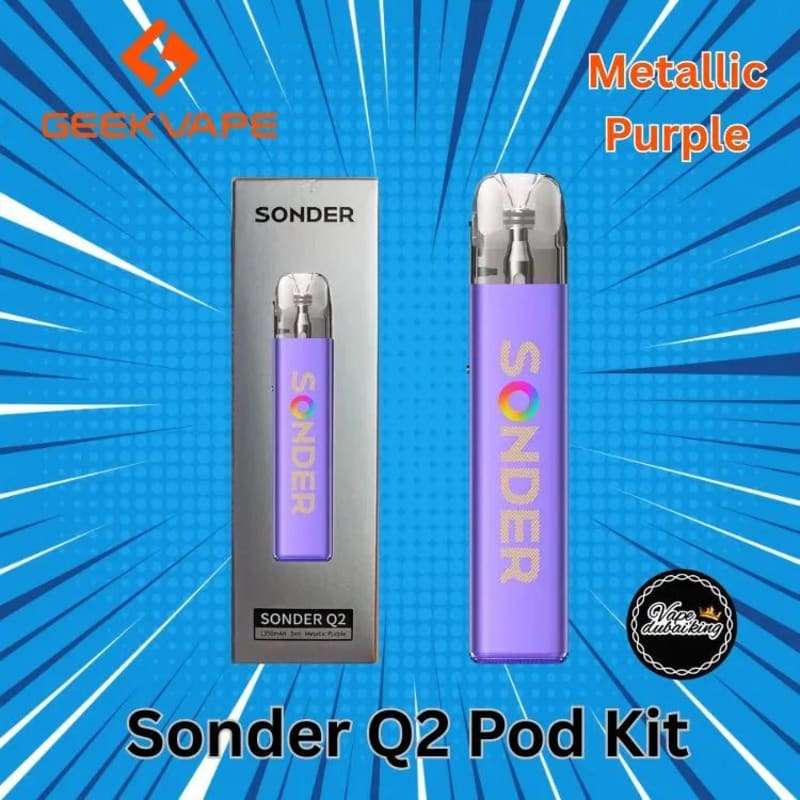
Replacement is also the right call when a known-good cable, a trusted wall charger, and a clean port all fail to produce any charging sign, or when the device charges only intermittently no matter what you try. At that point further testing usually just wastes time. When you choose a replacement, consider whether a device with a standard charging setup suits you better than a proprietary dock, and check the current pod devices and pod systems categories before ordering. The Geekvape Sonder Q2 Pod Kit at AED 65 is one example of a pod kit in the current range, and the JUUL devices and kits category covers the JUUL device family if you are staying in that system.
Good charging habits that prevent the next failure
Small habits extend charging reliability. Use the cable and charger type the product was supplied with where one is specified, keep the port covered or the device in a case when it is in a pocket, and unplug once charging is complete rather than leaving the device on charge overnight as a routine. Avoid charging in very hot places, such as a car dashboard in summer, and avoid using the device while it is charging if the product guidance says not to.
Store spare devices and cables where you can find them, and label a cable that you know works so you are not guessing during the next fault. A five-minute cable test at the first sign of trouble saves most owners from ordering a replacement device they did not need. Ordering from POD Shop in the UAE is straightforward: shipping is a flat AED 30 anywhere in the UAE, delivery is free on orders over AED 300, the minimum order is AED 85, and cash on delivery is the working payment method.
Frequently asked questions
My vape shows no light when I plug it in. What first?
Try a different cable you know works, then a trusted wall charger plugged directly into a wall socket. Wait at least a minute for an indicator. If a second cable and charger both fail, check the port for lint and try again.
Can I use any phone charger for my vape?
A standard, trusted wall charger is usually fine for testing, but avoid unknown fast chargers and multi-port hubs when diagnosing a fault. If the product specifies a particular charger or dock, use that type, especially for JUUL devices with a magnetic dock.
How do I clean a charging port safely?
Look first, then remove visible lint very gently with a dry wooden toothpick or soft brush. Do not use metal tools, water, or sprays, and do not push anything deep into the port. If the port feels loose, stop and ask the seller.
My device only charges when I hold the cable at an angle. Is that safe?
No, that is a sign of wear in the cable or the port. Do not keep using it at an angle. Try a new cable first, and if the problem stays, treat the device as faulty and seek a replacement.
When should I stop using a device completely?
Stop immediately if the battery is swollen, the casing is cracked or bulging, the device gets very hot, smells unusual, or has been water damaged. Do not charge it and do not try to open it. Contact the seller for guidance.
My vape has not been used for months and will not charge. Is it finished?
Not necessarily. Try a known-good cable and wall charger and allow a full charge cycle. If it still will not hold a charge or dies very quickly, the battery has likely degraded and replacement is the sensible step.